Hermes app icon

Messenger, as a
real Mac app.

Hermes is a free, open-source Facebook Messenger client written in Swift and AppKit. No Electron, no web page in a window: it looks and feels like Apple's Messages.

macOS 26 or laterApple silicon & IntelNotarized by AppleFree, forever
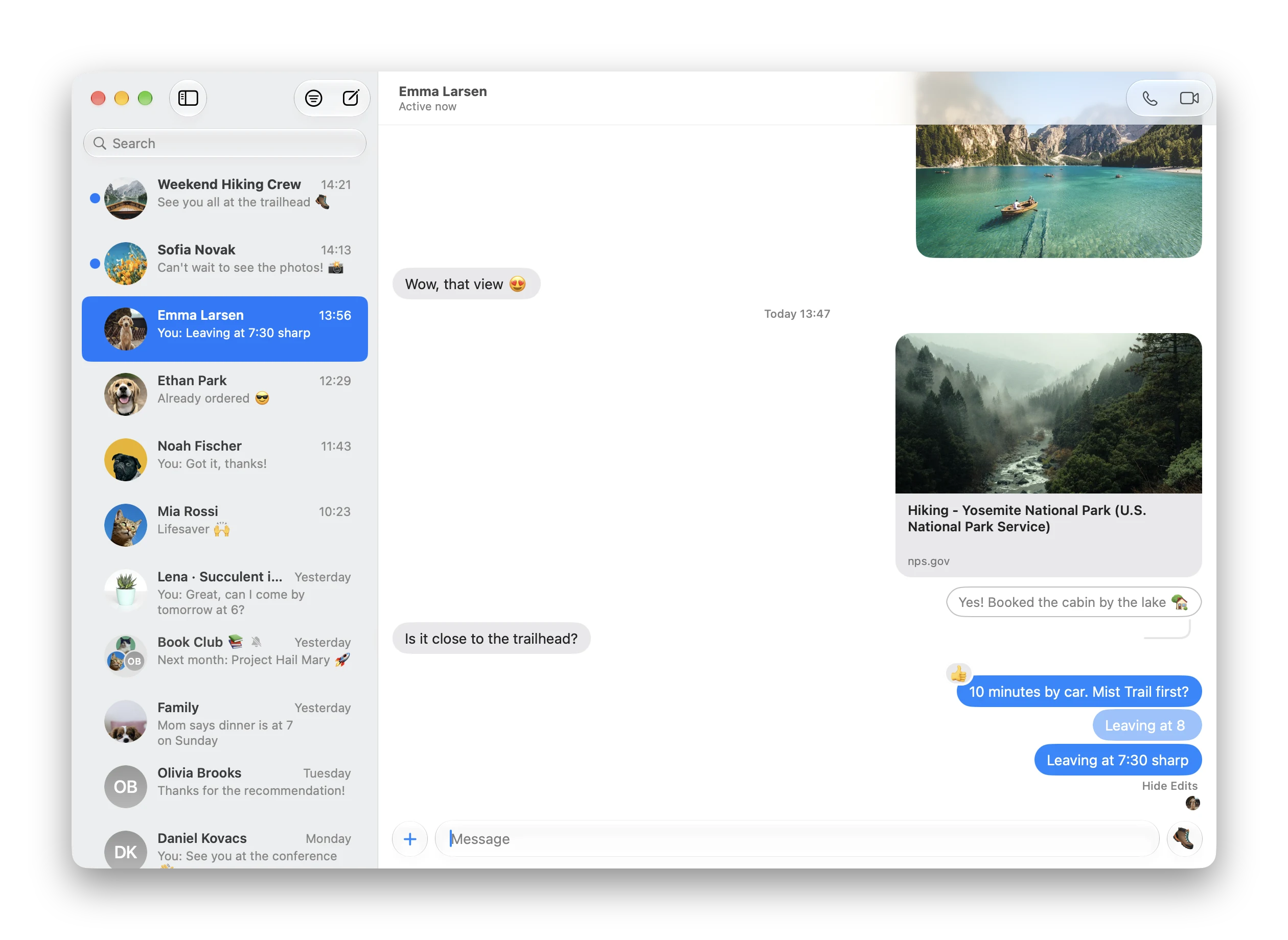
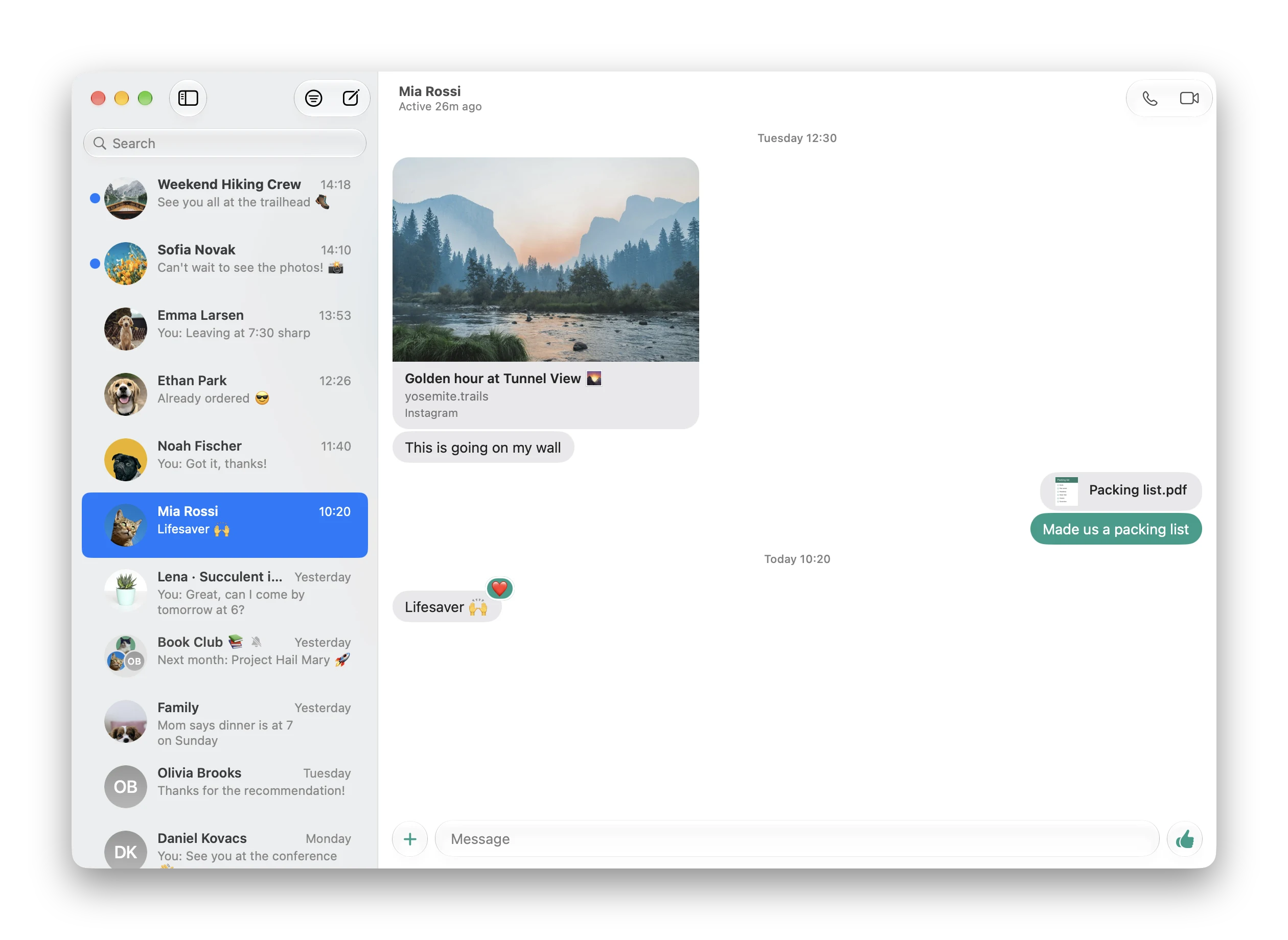
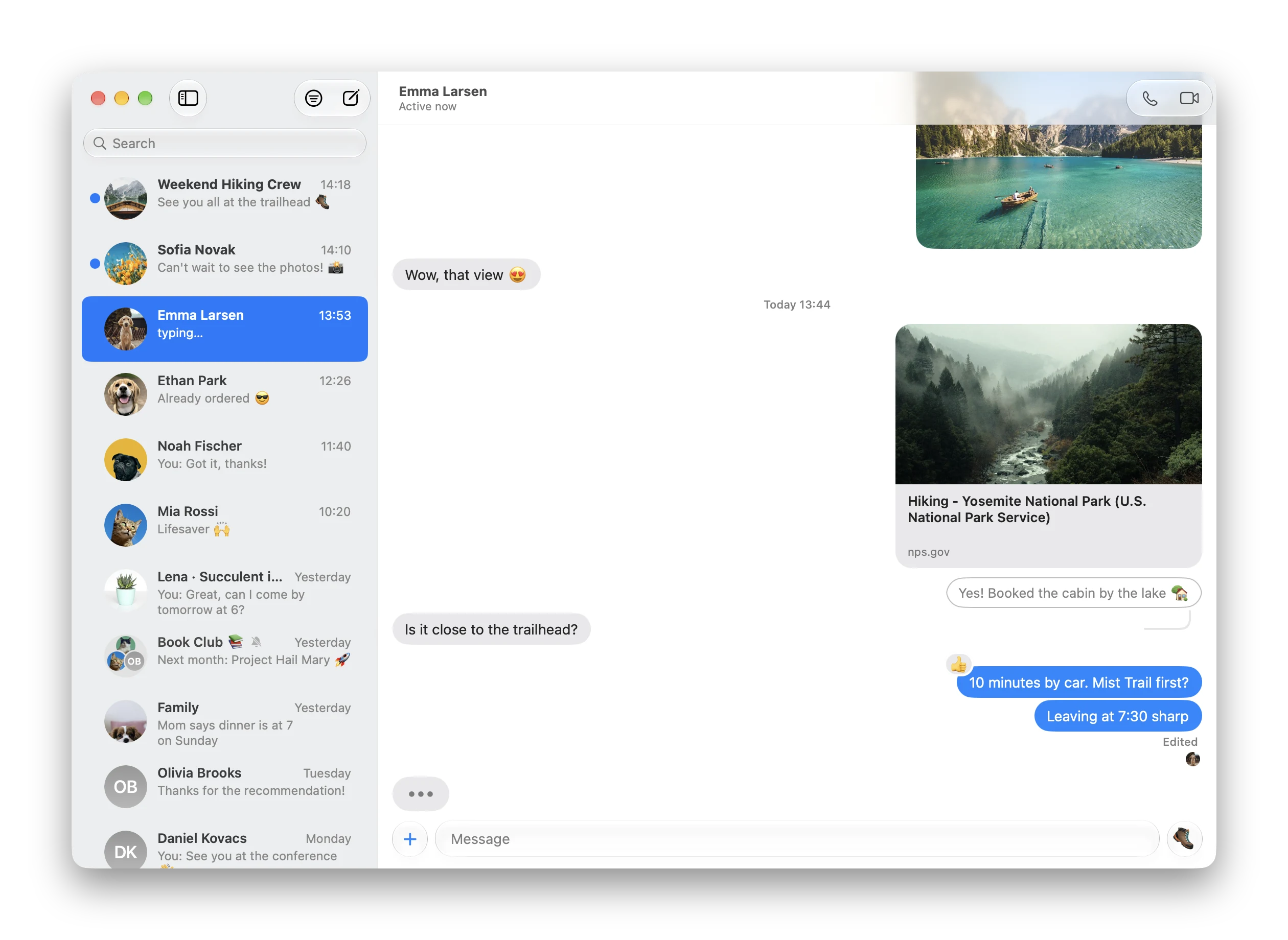
Hermes showing a chat with a photo, a link preview, a reply, tapbacks, a read picture and the typing bubble, next to the chat list
Native AppKitLiquid Glass, source-list sidebar, Messages-style bubbles
Encrypted chats1:1, group and end-to-end encrypted, with full history
CallsAudio and video, with an incoming call banner
Fast and localMessages stored on your Mac, chats open instantly
Built like Messages

Everything you chat with,
the way a Mac does it.

Replies, tapbacks, polls, themes and calls, drawn with Apple's own controls. Every screenshot here is the real app, running on made-up chats.

Tapbacks, replies and read pictures.

Double-click a message to react, just like in Messages. Replies show their quote with a line to the message they answer.

  • Tapbacks and every quick reaction Messenger has
  • Pictures of who has read up to where
  • The typing bubble turns into the message when it arrives
  • Link previews, photos with Quick Look, drag and drop
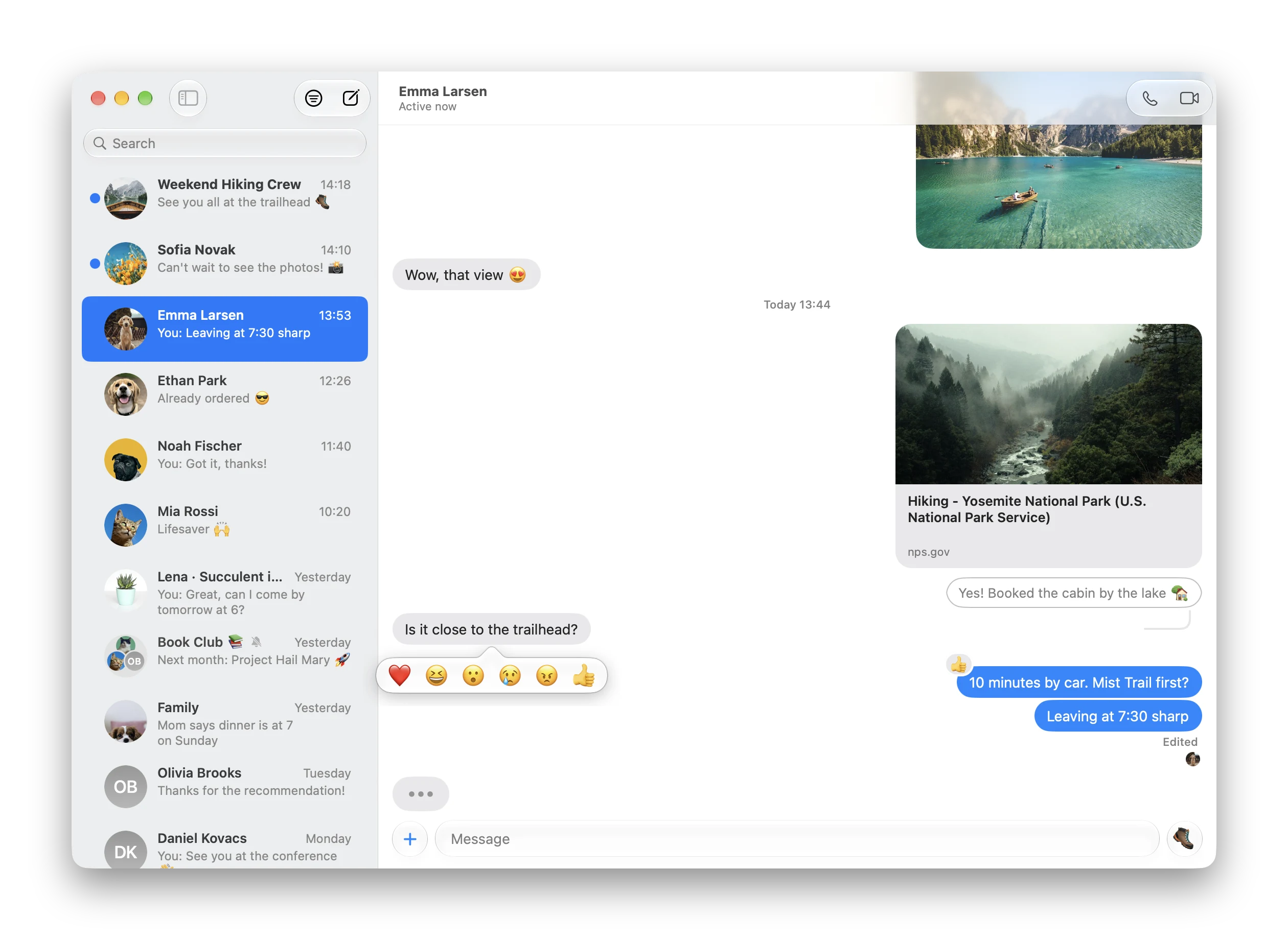
The tapback picker over a message in a chat

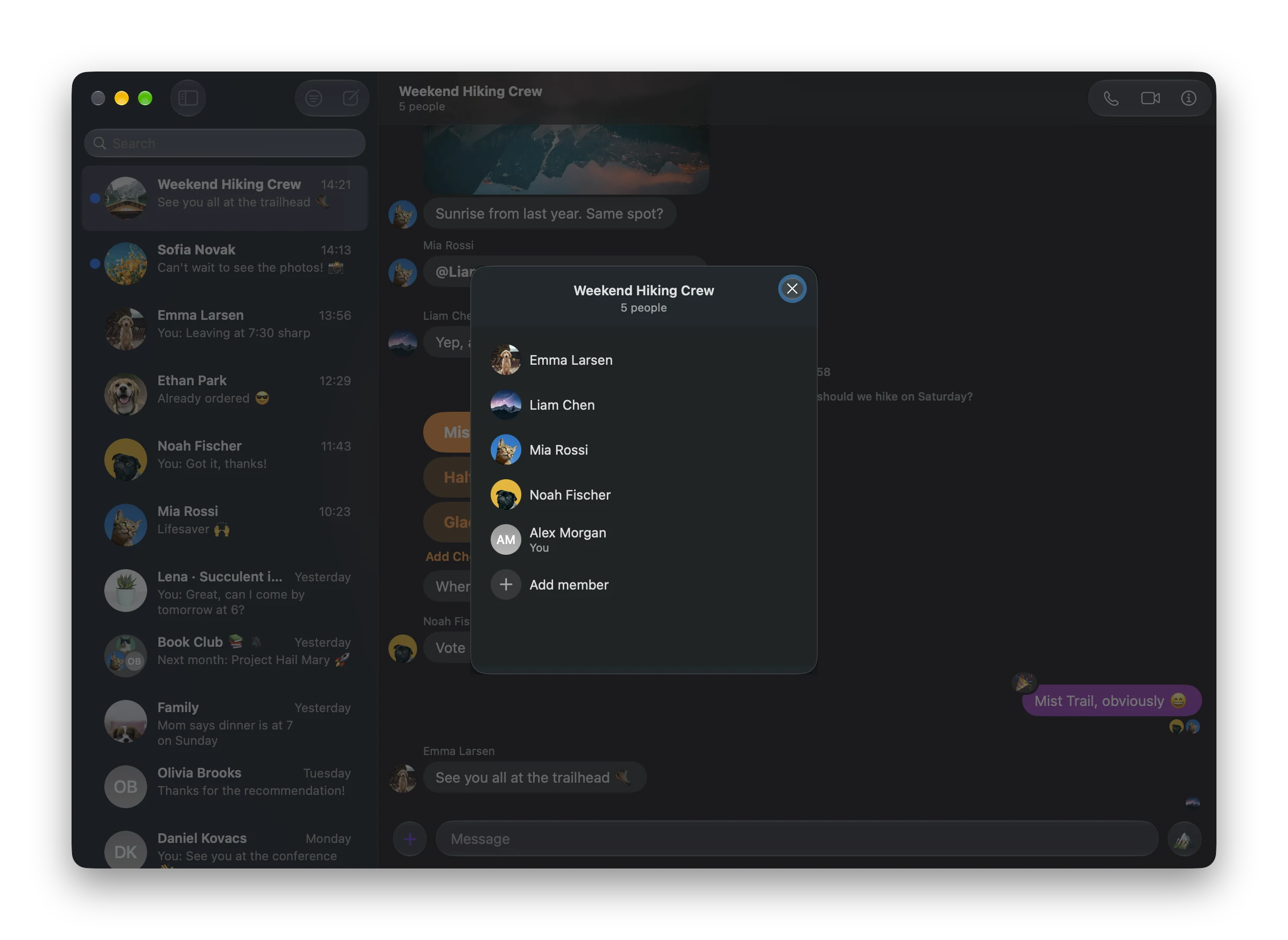
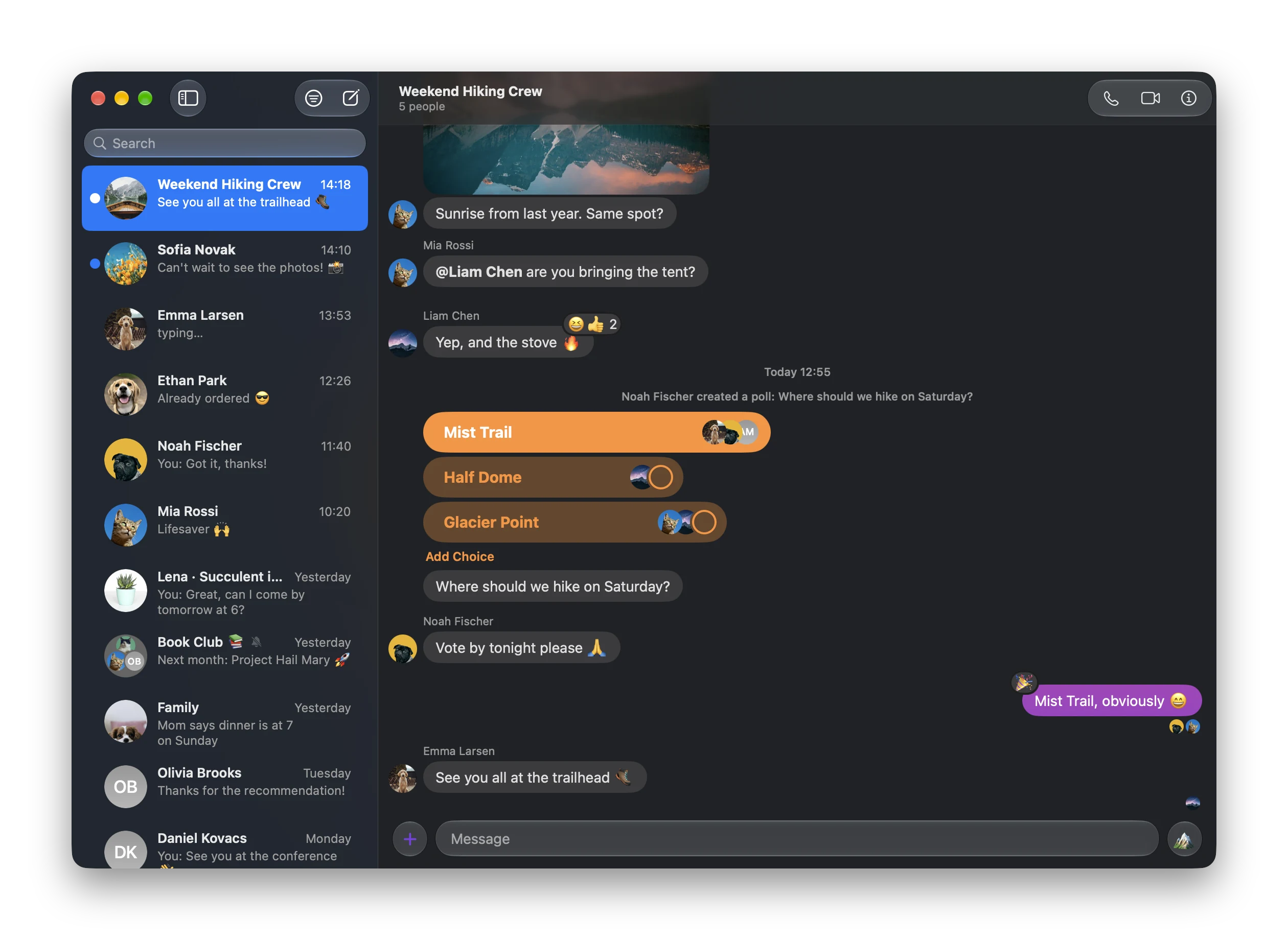
Polls, themes and @mentions.

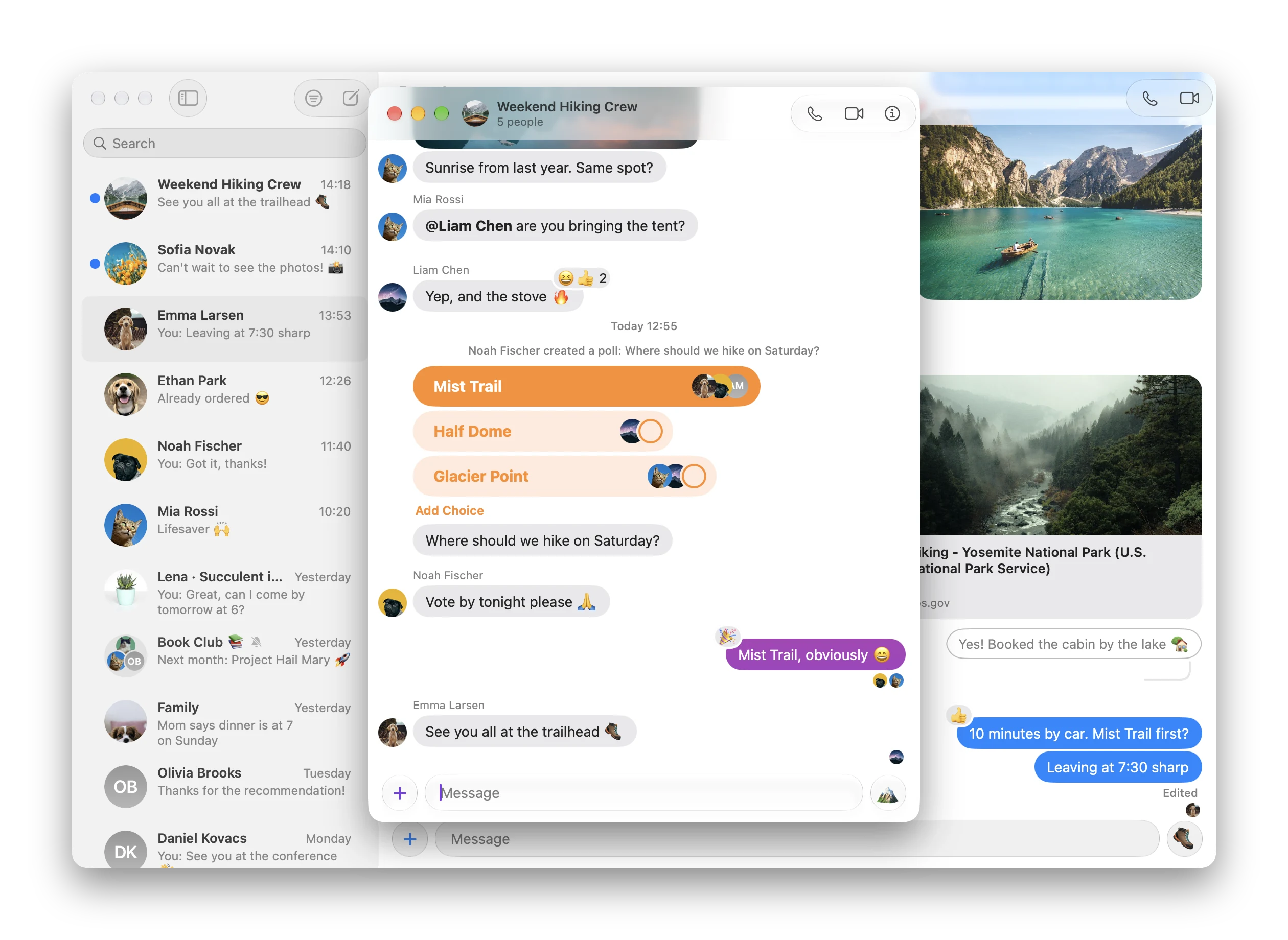
Group polls look like they do in Messages: a bubble per choice that grows with its votes and shows who voted. Click to vote, or add a choice.

  • Each chat's Messenger theme, gradients included
  • Tag people with @ in group chats
  • Light and dark mode
A group chat in dark mode with a poll, a gradient theme and reactions

Audio and video calls.

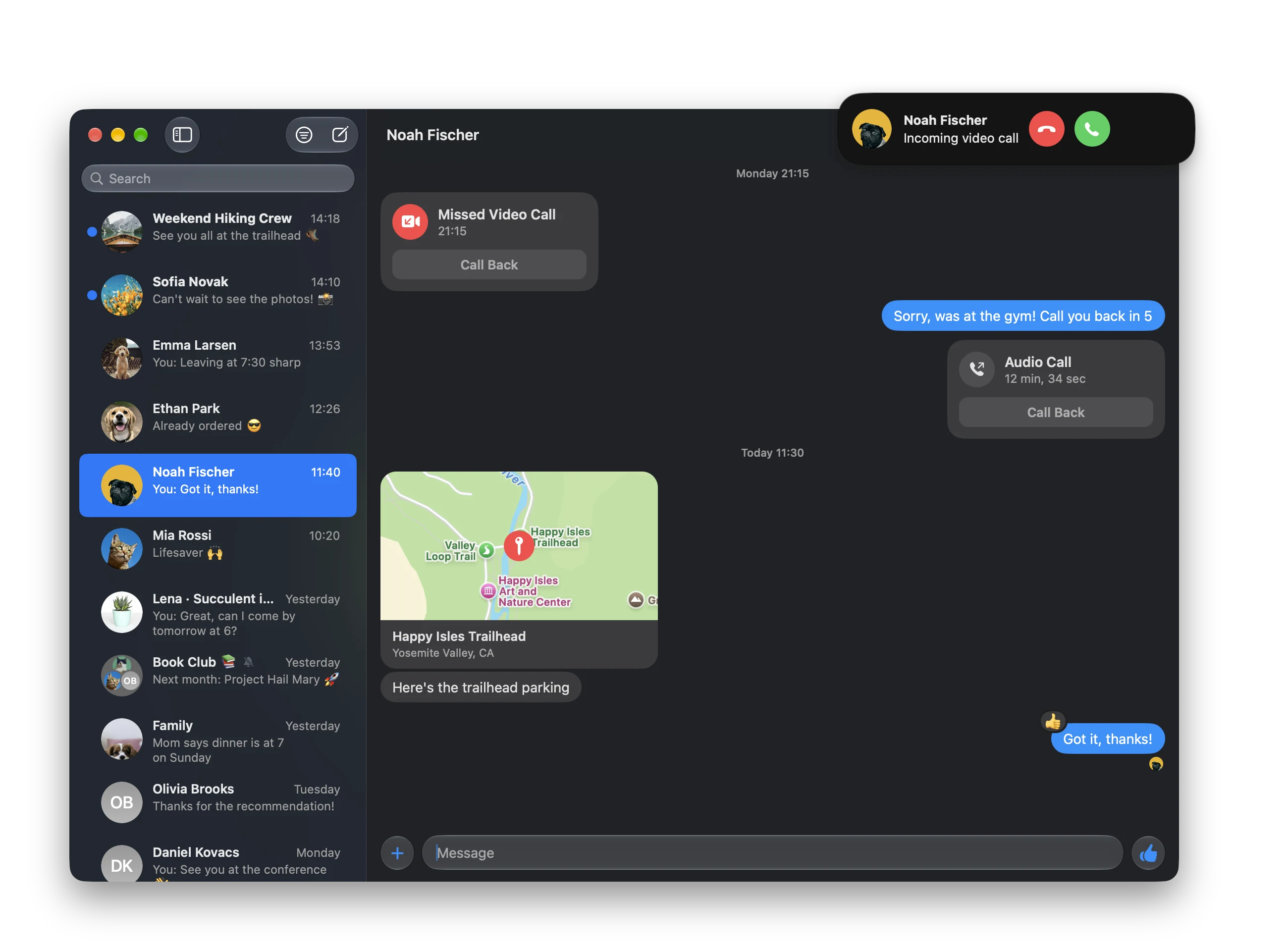
Calls ring with a banner in the corner of your screen, like a system notification. Missed and finished calls show up in the chat as cards with Call Back.

  • Start a call from the toolbar
  • Shared locations as maps
  • Shared posts, reels and stories as rich cards
An incoming video call banner over a chat with call cards and a shared location

Chats in their own windows.

Double-click any chat to open it in a window of its own, with its picture, name and buttons in the title bar. The toolbars are customizable, in the main window and in chat windows.

  • Full menus and keyboard shortcuts
  • Three-finger swipes between chats
  • Chats open instantly: messages are stored on your Mac
A group chat in its own window over the main window

More than one account.

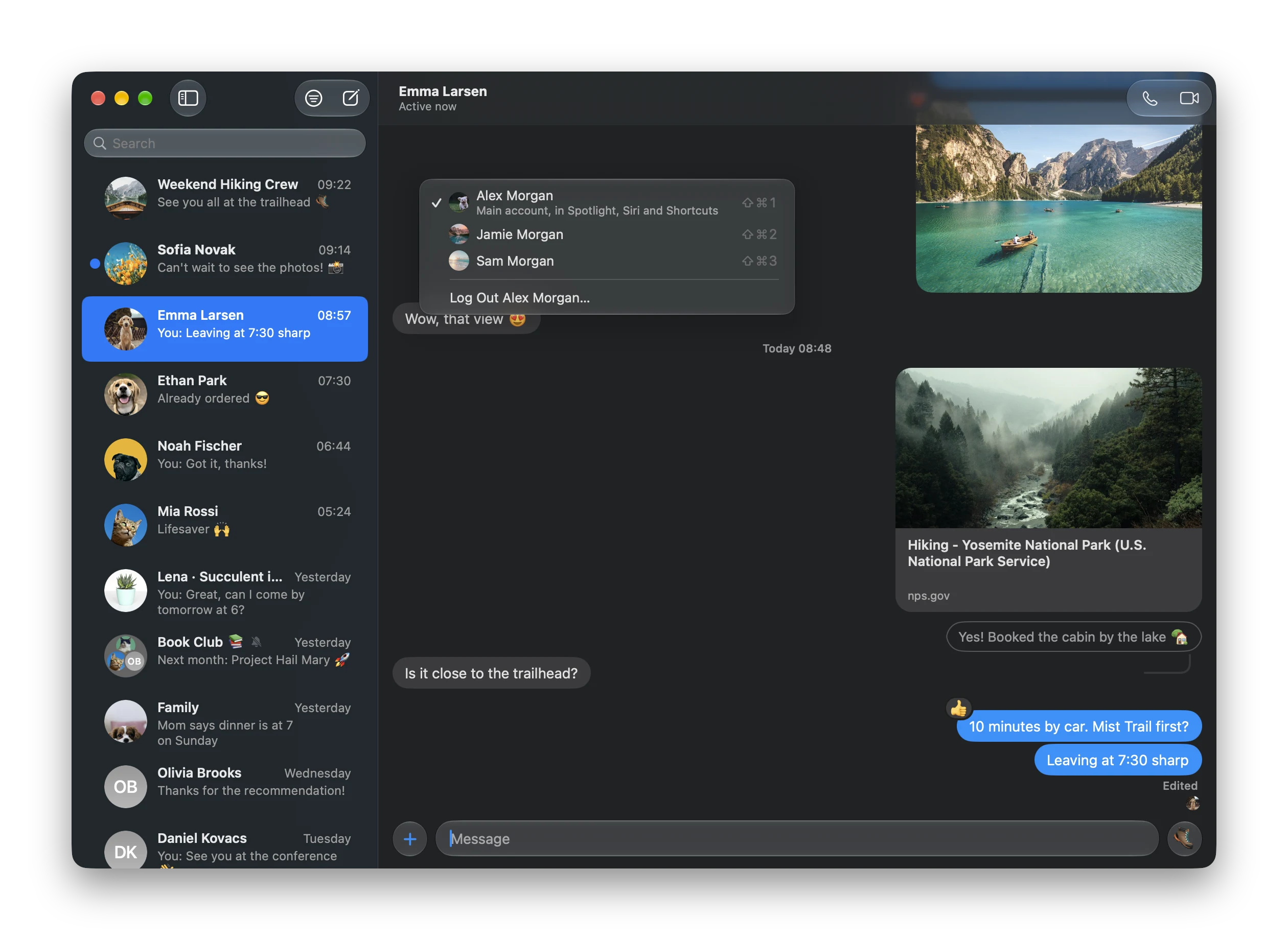
Add another Messenger account with File › Add Account…, and switch between them from the Account menu. Hermes opens with the one you used last.

  • Switch with ⇧⌘1, ⇧⌘2 and so on
  • Each account keeps its own chats, settings and encrypted history
  • Your main account is the one in Spotlight, Siri and Shortcuts
The Account menu with three accounts, the active one ticked
At home on your Mac

Works with the rest of macOS.

Hermes plugs into the system the way Apple's own apps do.

Notifications

With the sender's picture, Reply right from the banner, and Mark as Read.

Shortcuts

Send messages and files, edit or unsend the last one, mark chats read or unread.

Spotlight

Your messages show up in Spotlight; pick one to jump right to it.

Share menu

Share pictures, files and links to a chat from any app.

Widget

Your recent chats on the desktop. Click one to open it.

Dock badge and menu

Unread count on the icon; your recent chats in its menu.

Contacts

Contact cards from your Contacts, and their nicknames if you prefer.

Updates itself

New versions come from the GitHub releases, notarized by Apple.

Light and dark

Follows your Mac's appearance, with Liquid Glass throughout.

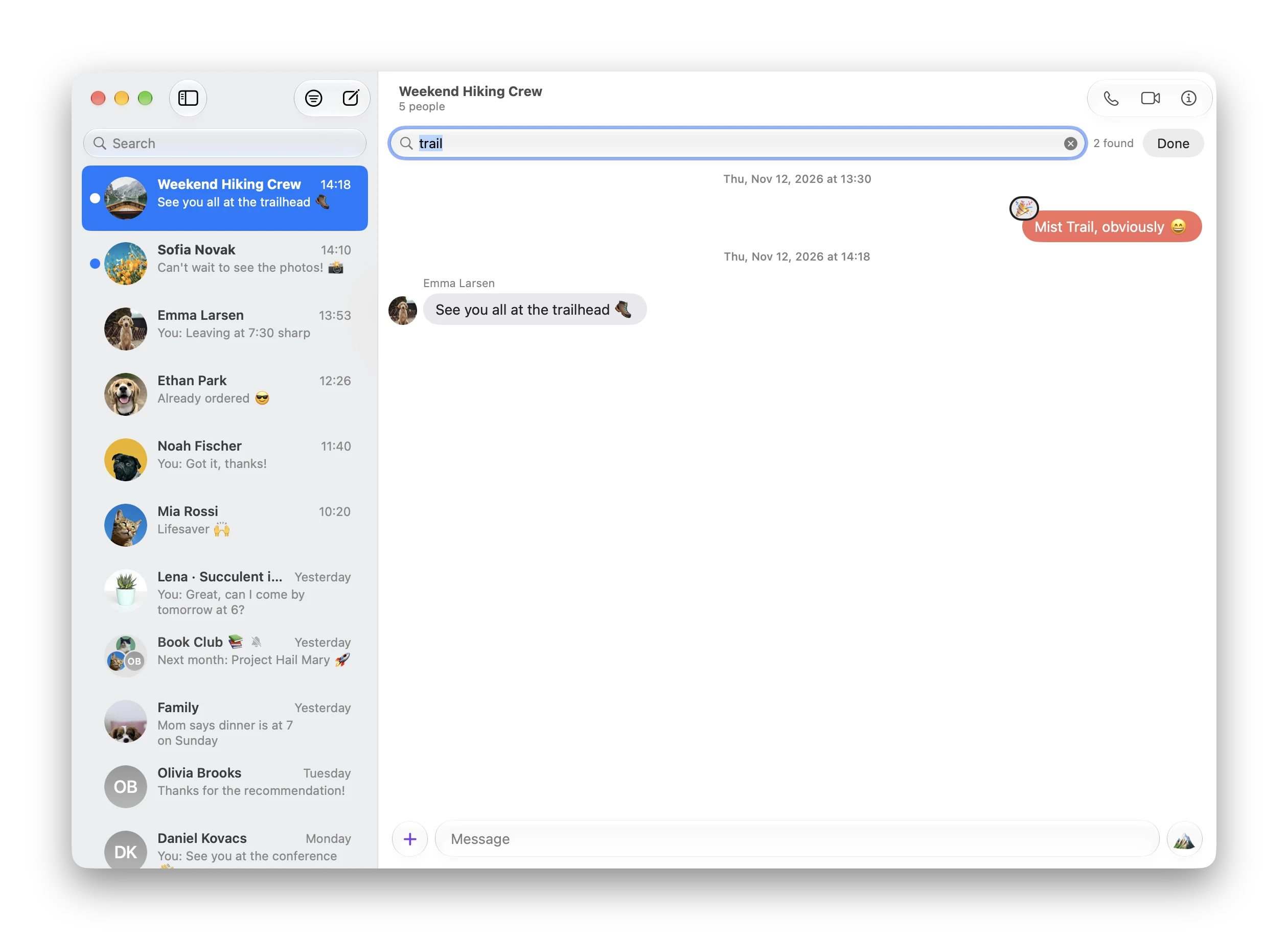
⌘N New message ⌘F Find a chat ⌥⌘F Find in chat ⌘E Edit message ⌘L Like ⌘1–⌘9 Pick a chat ⇧⌘1–⇧⌘9 Switch account
Just messaging

What Hermes will never have.

Hermes is for talking to people. These won't be added, ever.

Meta AINo AI chats or suggestions
AdsNo sponsored messages
Chat headsNo bubbles over other apps
StoriesNo viewing or posting
Profile settingsUse facebook.com for that

Hermes is free and will always remain completely free.
No paid version, no subscriptions, no in-app purchases.

Open source

How it works.

A Swift app on top of a Go core, built on the open-source libraries behind the mautrix Messenger bridge.

Native UI

Swift and AppKit, with the same controls, sheets, menus and Liquid Glass as Apple's own apps.

Messenger's protocol

A Go core speaks Messenger's web protocol through mautrix-meta, and handles encrypted chats with whatsmeow.

Your data stays on your Mac

Messages, keys and your session are stored locally and go only to Meta's servers. No analytics, no other servers.

Get Hermes.

macOS 26 or later, on an Apple silicon or Intel Mac
1Install

Open the DMG and drag Hermes to Applications.

2Log in

Sign in with your Facebook account on facebook.com's own login page.

3Restore

Choose Restore Encrypted Chats… and enter your Messenger PIN once.

Before you use it
  • Not affiliated with Meta. Hermes is an independent, learning-purpose project, not made, endorsed or supported by Meta Platforms, Inc. Facebook and Messenger are trademarks of Meta Platforms, Inc.
  • It may break Facebook's Terms. Meta's Terms of Service don't allow unofficial tools without permission, and Meta can restrict accounts it believes break them. Use it only with an account you're willing to risk.
  • No warranty. It can stop working at any time if Meta changes its service. Don't rely on it for anything important.